

Custom Notepad Printing
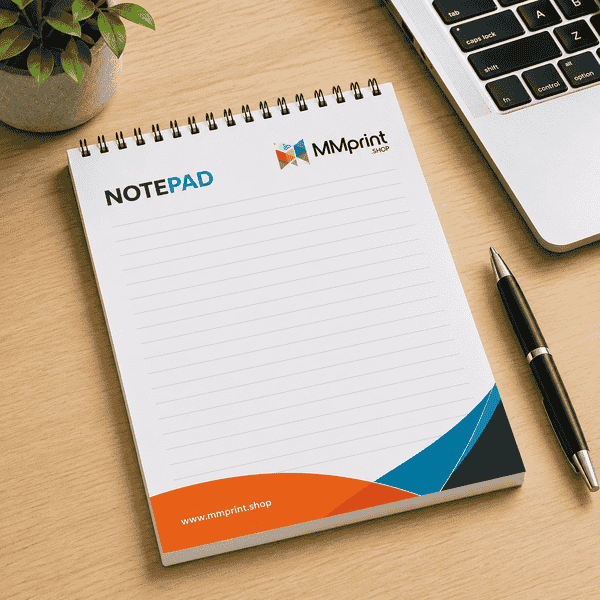
MMPrint produces custom notepads and personalized memo pads for businesses, schools, healthcare providers, nonprofits, professional offices and organizations throughout the United States.
Printed notepads provide useful writing space while keeping a company name, logo, phone number, website or other message visible each time a sheet is used. They work well as office supplies, customer giveaways, event materials and branded promotional products.
Choose from several standard sizes, paper weights and binding formats. Notepads can be printed in full color or Pantone colors and can include lines, grids, forms, watermarks or other custom artwork.
Popular Notepad Sizes
- 4 x 6 Notepads – A compact format for quick notes, reminders and promotional giveaways.
- 5 x 7 Notepads – Provides additional writing space while remaining convenient for desks, counters and meetings.
- 5.5 x 8.5 Notepads – A half-letter format suited to longer notes, forms and office use.
- 6 x 11 Notepads – A taller format with room for lists, schedules, service forms or structured writing areas.
- Custom Sizes – Other finished dimensions and custom shapes can be reviewed for qualifying projects.
Notepad Binding & Construction Options
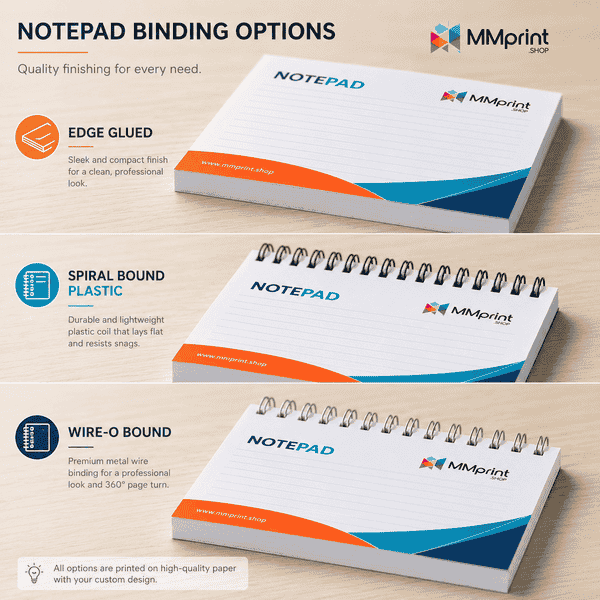
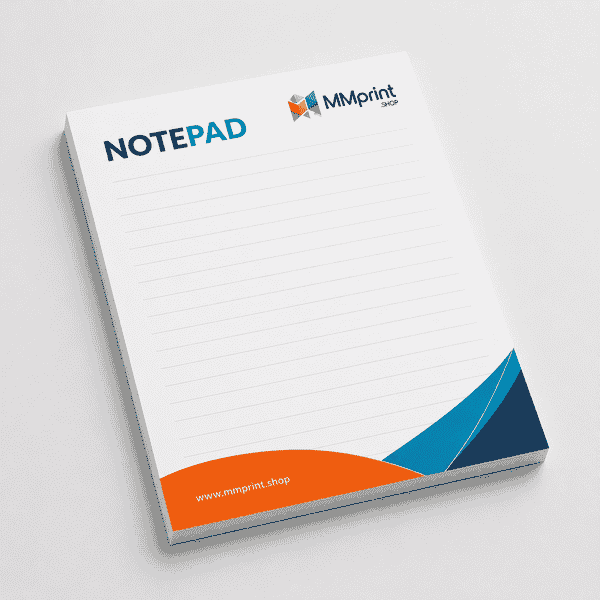
- Edge-Glued Notepads – Individual sheets are padded together along one edge so they can be removed as needed.
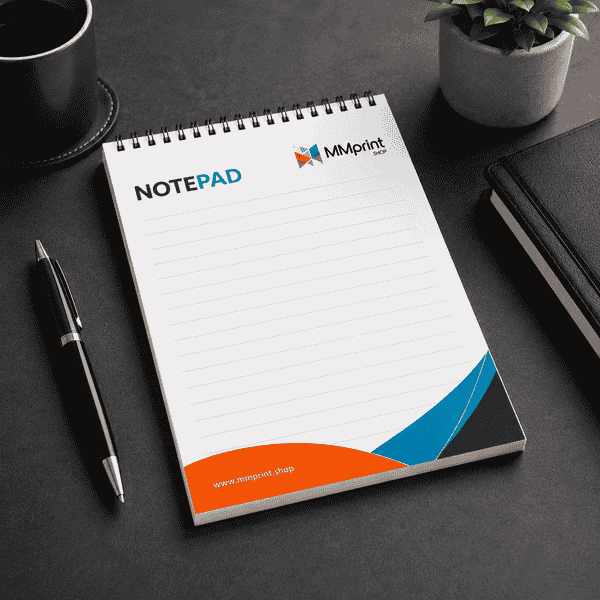
- Spiral-Bound Notepads – A plastic coil holds the sheets together and allows pages to turn over the binding.
- Wraparound-Cover Notepads – A cover extends around the pad to help protect the sheets and provide additional printable space.
- Perforated Sheets – Qualifying bound formats can include perforation near the top for cleaner sheet removal.
- Custom Orientation – Pads can be planned in portrait or landscape orientation according to the artwork and intended use.
Notepad Paper & Printing Options
- 60 lb Offset – A smooth uncoated writing paper suitable for everyday branded notepads.
- 70 lb Offset – A slightly heavier uncoated stock with additional substance.
- 80 lb Offset – A heavier writing stock for projects requiring a more substantial sheet.
- Colored Offset Paper – Colored sheets can create a distinctive appearance for qualifying projects.
- Full-Color Printing – Reproduce colorful logos, photographs, graphics, lines and watermarks.
- Pantone Color Printing – PMS colors can be used when a project requires specific brand-color reproduction.
- Printing on Both Sides – Qualifying projects can include instructions, forms or other information on the back of each sheet.
Specialty Notepad Options
- Variable Data – Individual pads or sheets can include changing names, locations, messages or other database-driven information.
- Foil Stamping – Metallic or pigmented foil can be added to qualifying covers or project configurations.
- Embossing – Selected elements can be raised for a tactile effect on qualifying covers or heavier components.
- Custom Shapes – Die-cut shapes can be reviewed when a standard rectangular pad does not fit the concept.
- Custom Printed Forms – Sheets can include checklists, appointment details, service information, measurements or other repeated fields.
Common Uses for Custom Notepads
- Office and employee notepads
- Customer and client giveaways
- Trade-show and conference promotions
- Sales meeting notes
- Medical and dental office pads
- Real estate and financial-service notepads
- School and university memo pads
- Hotel and hospitality notepads
- Appointment and service forms
- Shopping lists and planning pads
- Holiday and customer appreciation gifts
- Personalized staff notepads
Design Tips for Custom Notepads
- Protect the writing area – Keep large logos and heavy graphics from overwhelming the space customers need for notes.
- Use light watermarks – Background graphics should remain light enough for handwriting to stay readable.
- Allow for the bound edge – Keep important text away from the glued, spiral-bound or perforated edge.
- Use practical line spacing – Confirm that ruled lines, grids and form fields provide enough room for handwriting.
- Plan for sheet removal – Place logos and contact information where they remain visible without interfering with perforation or padding.
- Include bleed when required – Extend artwork beyond the trim edge when colors or images are intended to print to the edge.
- Choose colors carefully – Dark backgrounds can make writing difficult to read, especially with standard pens and pencils.
- Check back-side orientation – When both sides are printed, confirm that the reverse side will be upright after the sheet is removed or turned.
- Prepare variable data carefully – Supply consistent database fields and confirm which elements change on each version.
- Use the correct template – Build the artwork using the template matching the selected size and binding format.
Compare Notepad Formats
| Format | Construction | Common Use |
|---|---|---|
| Edge Glued | Tear-off padded sheets | Everyday memo pads |
| Spiral Bound | Pages turn over coil | Notes kept together |
| Wraparound Cover | Cover protects pad | Branded gifts and field use |
Why Choose MMPrint for Notepad Printing?
- Multiple Notepad Formats – Choose from edge-glued, spiral-bound and wraparound-cover configurations.
- Flexible Paper Choices – Available papers include multiple offset weights and qualifying colored stocks.
- Custom Printing Options – Projects can include full-color or Pantone printing, back-side printing, perforation and variable data.
- Specialty Finishing – Foil stamping, embossing and custom shapes can be reviewed for qualifying projects.
- Human File Review – Submitted artwork is reviewed for potential sizing, bleed, binding, perforation and writing-area concerns.
- More Than 50 Years of Print Experience – MMPrint has served businesses and organizations since 1972.
- Nationwide Shipping – Custom notepads can be shipped throughout the United States.
Frequently Asked Questions
- What sizes are available for custom notepads?
Standard sizes include 4 x 6, 5 x 7, 5.5 x 8.5 and 6 x 11 inches. Other sizes can be reviewed for custom projects. - What is an edge-glued notepad?
An edge-glued notepad contains individual sheets padded together along one edge so each sheet can be removed when needed. - What binding options are available?
Available formats include edge-glued pads, spiral-bound notepads and notepads with wraparound covers. - Can notepads include perforated pages?
Yes. Perforation can be added to qualifying bound formats to provide a cleaner tear-off edge. - Which paper weights are available?
Standard uncoated paper options include 60 lb, 70 lb and 80 lb offset. Colored offset papers are also available for qualifying projects. - Can notepads be printed in full color?
Yes. Custom notepads can include full-color logos, photographs, graphics, lines and watermarks. - Can MMPrint match a Pantone brand color?
Pantone color printing is available for projects requiring specific PMS brand colors. - Can both sides of each notepad sheet be printed?
Yes. Qualifying projects can include printing on the front and back of each sheet. - Can each notepad be personalized?
Yes. Variable data can be used to change names, locations, messages or other selected information across qualifying projects. - Are custom-shaped notepads available?
Yes. Custom sizes and die-cut shapes can be reviewed according to the artwork and production requirements. - Does MMPrint review notepad artwork?
Yes. Submitted files are reviewed for potential sizing, bleed, binding, perforation and writing-area concerns before printing. - Does MMPrint ship custom notepads nationwide?
Yes. MMPrint prints and ships custom notepads throughout the United States.
Custom Notepads (Business Essentials)
Customize & Estimate
Next Step: Upload Files or Start Customizing
Print-ready Layout Templates
Select your product size, then review and download the layout template and design guidelines. These files are provided to help you create precise, print-ready designs with the correct dimensions, bleed areas, and safe zones.
Select your product size, then review and download the layout template and design guidelines. These files are provided to help you create precise, print-ready designs with the correct dimensions, bleed areas, and safe zones.
Help template cannot be generated as one or both bleed sizes (height and width) are set to 0.
Safe Line