

Custom Training Manual Printing
MMPrint produces custom training manuals for employee onboarding, workplace procedures, equipment instruction, safety programs, classroom education and guided presentations. Printed manuals give trainees a hands-on reference they can use during instruction and return to while completing tasks.
Training manuals can contain step-by-step directions, standard operating procedures, diagrams, photographs, checklists, policies and reference information. Spiral and Wire-O binding allow manuals to remain open during use, while tabs and presentation easels can make detailed content easier to navigate and demonstrate.
The manual’s working environment should guide its construction. Standard paper stocks work well for offices and classrooms, while synthetic pages provide greater resistance to moisture, tearing, grease, dirt and frequent handling.
Training Manual Sizes & Formats
- Compact Manuals – Portable reference materials for employees who need instructions at a workstation or in the field.
- Standard Training Manuals – Provide room for procedures, photographs, diagrams, forms and written notes.
- Landscape Manuals – Useful for wide diagrams, equipment illustrations, presentation materials and easel-style manuals.
- Custom Specifications – Request a custom quote when the required dimensions, orientation or construction are not displayed in the configurator.
Select from the sizes and orientations shown in the product configurator. Use the corresponding template or confirmed specifications before preparing final artwork.
Training Manual Binding Options
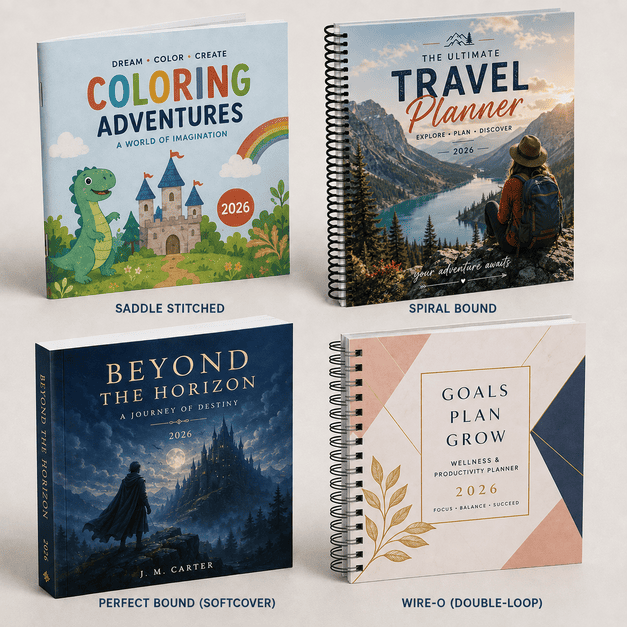
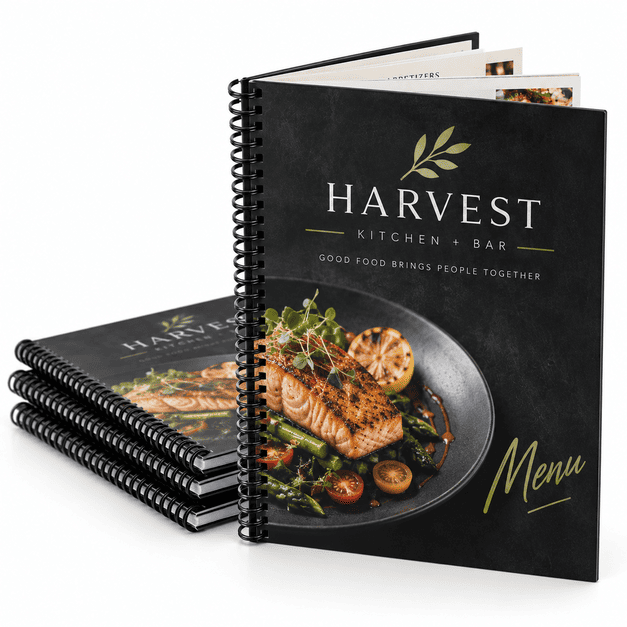
- Spiral Binding – Uses a continuous plastic coil that allows pages to turn easily and the manual to remain open during training or reference.
- Wire-O Binding – Uses a double-loop wire binding for a professional appearance and pages that open flat.
- A-Frame Easel – Creates a self-standing flip-style presentation that can display information toward the trainee while providing supporting content for the instructor.
- Tabbed Sections – Divide procedures, departments, lessons or topics so users can locate information more quickly.
Paper & Synthetic Page Options
- Gloss-Coated Paper – A smooth, shiny surface suited to photographs, diagrams and colorful instructional graphics.
- Matte-Coated Paper – A lower-glare coated surface that balances image reproduction with comfortable reading.
- Uncoated Paper – A natural, non-glossy surface appropriate for manuals containing worksheets, notes or checklists.
- Synthetic Pages – Durable paper-like plastic pages designed to resist water, tearing, stains, grease and frequent handling better than conventional paper.
Training Manual Printing & Finishing
- Full-Color Printing – Reproduce photographs, illustrations, diagrams, charts, safety graphics and branded training content.
- Black Printing – A practical option for text-focused procedures, policies and reference manuals.
- Printed Covers – Identify the organization, department, course, manual version and intended audience.
- Tabbed Dividers – Separate content by lesson, process, department, equipment type or reference category.
- Durable Page Options – Synthetic materials can be considered for food-service, industrial and other demanding environments.
- Custom Configurations – Request a quote for page materials, tabs, easels, binding or other requirements not shown online.
Common Uses for Training Manuals
- New-employee onboarding manuals
- Standard operating procedure manuals
- Equipment operation instructions
- Safety and compliance training materials
- Restaurant and food-service procedures
- Manufacturing and industrial work instructions
- Software and system training guides
- Sales and product training materials
- Classroom and continuing-education manuals
- Healthcare and facility procedures
- Field-service reference manuals
- Instructor-led presentation flip books
Compare Training Manual Formats
| Feature | Spiral Bound | Wire-O Bound | A-Frame Easel |
|---|---|---|---|
| Best For | Everyday working manuals | Professional training materials | Instructor-led demonstrations |
| Page Position | Opens flat | Opens flat | Stands for viewing |
| Handling | Flexible continuous coil | Double-loop wire | Flip-style presentation |
| Common Uses | Procedures and field reference | Employee and client training | Demonstrations and guided lessons |
Choosing Between Paper and Synthetic Manuals
| Feature | Paper Pages | Synthetic Pages |
|---|---|---|
| Best Environment | Offices and classrooms | Food service and industrial settings |
| Writing | Uncoated paper is suitable for notes | Depends on the writing instrument |
| Water Resistance | Limited | Designed to resist water and spills |
| Tear Resistance | Standard paper durability | Greater resistance to tearing |
| Replacement Cycle | Good for frequently revised content | Better for longer-term repeated use |
Design Tips for Training Manuals
- Organize content by task – Divide complex procedures into clear, sequential steps with descriptive headings.
- Use tabs consistently – Match tab names to the section headings and table of contents.
- Include version information – Place the revision date or version number where employees and supervisors can locate it easily.
- Plan for binding clearance – Keep text, diagrams and page numbers away from the bound edge.
- Use readable typography – Select clear type sizes and strong contrast for manuals used at workstations or during demonstrations.
- Support instructions visually – Use high-resolution photographs, diagrams, icons and callouts where they make a procedure easier to understand.
- Make warnings distinct – Present safety notices and critical instructions consistently so they are not confused with general information.
- Leave room for notes – Use uncoated pages when trainees need to complete exercises, checklists or written responses.
- Plan easel pages in pairs – Coordinate the trainee-facing visual with the corresponding instructor notes when creating an A-frame manual.
- Review page order carefully – Verify section starts, tabs, blank pages and front-to-back orientation before approving production.
Related Book & Reference Printing
Why Choose MMPrint?
- Manual-printing experience – Get practical assistance with binding, page materials, tabs and presentation formats.
- Human file review – Submitted artwork is reviewed for common production concerns before printing.
- Multiple binding choices – Select spiral, Wire-O or a presentation easel based on how the manual will be used.
- Durable material capabilities – Synthetic pages are available for applications requiring greater resistance to moisture, tearing and handling.
- Custom project support – MMPrint can review special dimensions, tab configurations and other nonstandard requirements.
- Nationwide service – MMPrint produces and ships custom training manuals for customers throughout the United States.
- More than 50 years of print experience – The Marsid M&M Group has served print customers since 1972.
Frequently Asked Questions
- What is a custom training manual?
A custom training manual is a printed reference containing procedures, instructions, lessons, policies, diagrams or other information used to train employees, students or customers. - Which binding is best for a training manual?
Spiral binding is practical for frequently handled working manuals, while Wire-O binding provides a professional appearance. Both allow pages to remain open during use. - Can training manuals include tabbed sections?
Yes. Tabs can divide content by lesson, process, department, equipment type or reference category. - What is an A-frame training manual?
An A-frame manual is a self-standing, flip-style presentation that can show visual information to the trainee while supporting instructor-led demonstrations. - Can training manuals be printed on waterproof material?
Yes. Synthetic pages are designed to resist water, spills, tearing, grease and stains better than conventional paper. - Can employees write in the training manuals?
Yes. Uncoated paper is the preferred choice for worksheets, notes and checklists. Writing performance on synthetic pages depends on the selected writing instrument. - Can training manuals be printed in full color?
Yes. Full-color printing can reproduce photographs, diagrams, safety graphics, charts and branded instructional content. - What size should a training manual be?
The best size depends on the amount of content, required portability, diagrams, orientation and working environment. Select an available size online or request a custom quote. - Does MMPrint review training-manual artwork?
Yes. Submitted files receive a human review for common production concerns before printing. - Can MMPrint produce a custom manual configuration?
Yes. Request a custom quote for special dimensions, tabs, easels, synthetic pages, binding or other requirements not shown in the standard configuration.
Need a specialized training-manual format?Request a custom printing quote.
Training Manuals (Booklets & Books)
Next Step: Upload Files or Start Customizing
Select your product size, then review and download the layout template and design guidelines. These files are provided to help you create precise, print-ready designs with the correct dimensions, bleed areas, and safe zones.