

Cascading Stepped Insert Presentation Folders
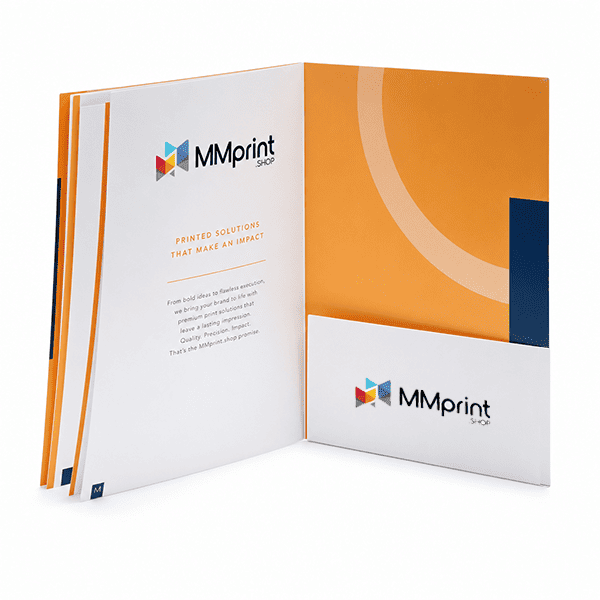
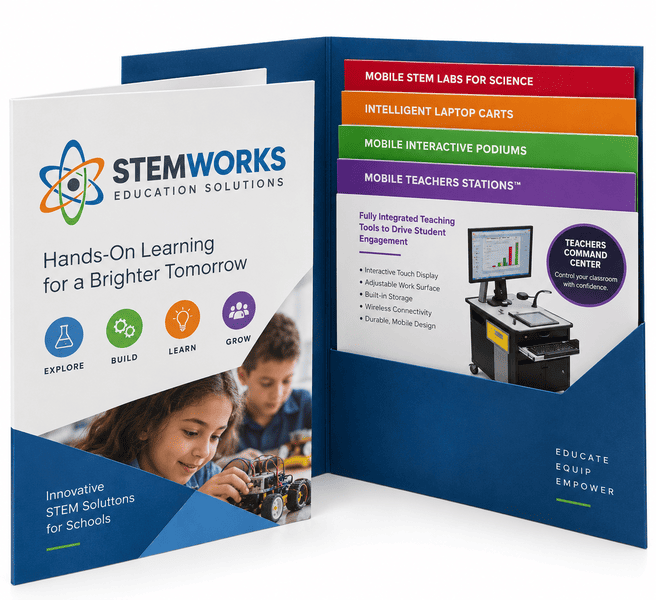
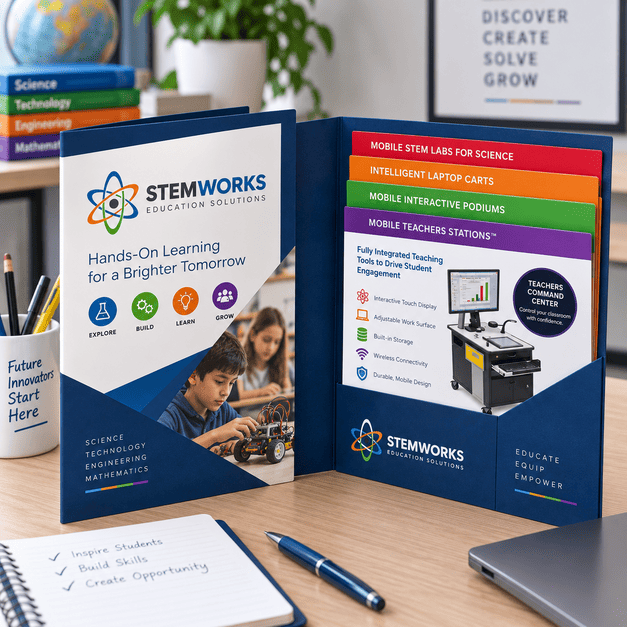
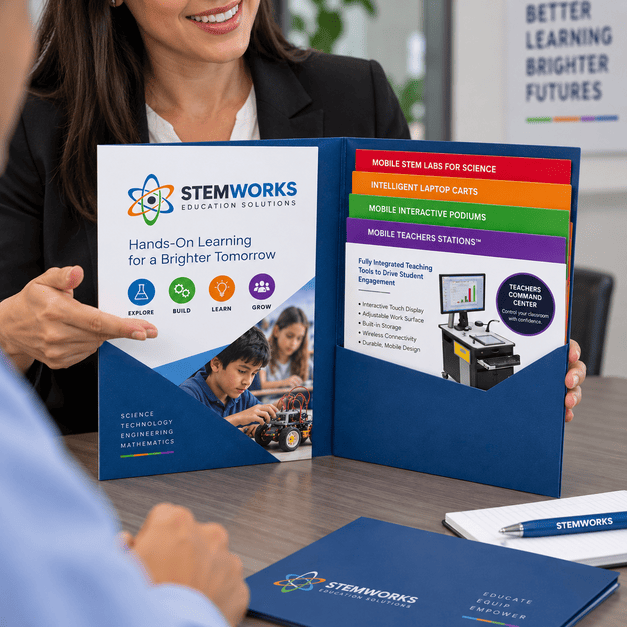
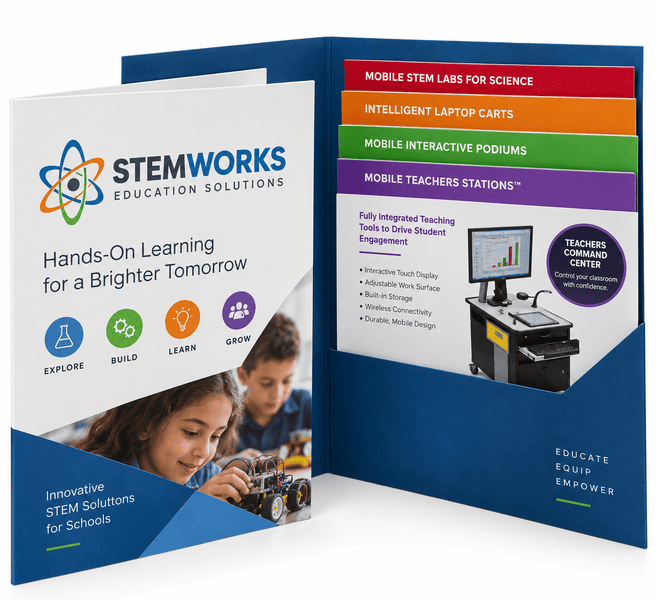
MMPrint produces custom presentation folders with cascading stepped inserts for sales kits, proposals, marketing packets, media kits and organized information packages. The inserts are trimmed to different heights so the heading at the top of each sheet remains visible above the sheet in front of it.
This staggered arrangement helps recipients locate product categories, services, proposal sections or other important information without removing every sheet from the pocket. Inserts can be color-coded and coordinated with the folder artwork to create a clear, professional presentation system.
The folder and inserts must be planned together. Insert quantity, sheet order, exposed step depth, pocket capacity and finished folder size should be confirmed before artwork is finalized.
How Cascading Stepped Inserts Work
- Graduated Sheet Heights – Each insert is trimmed to a different height so its section heading remains visible.
- Ordered Information – Sheets are arranged in a planned sequence within one or more folder pockets.
- Visible Section Headers – The exposed portion of each insert can display a product name, service, department or proposal section.
- Coordinated Color Coding – Different colors can help recipients identify and navigate individual sections.
- Removable Materials – Each insert can be removed, reviewed, copied or replaced separately.
Folder Sizes & Configurations
- 9 x 12 Presentation Folder – A common finished size for holding stepped inserts based on standard letter-size sales materials.
- 9 x 12 Tri-Fold Folder – Adds a third panel for expanded content organization and presentation space.
- 6 x 9 Folder – A compact option for smaller inserts and targeted information packages.
- 4 x 9 Folder – A narrow format for specialized inserts and compact promotional materials.
- Custom Sizes – Request a custom quote when the required folder or insert dimensions are not shown online.
Pocket & Insert Options
- One-Pocket Folder – Places the stepped insert set on one side while leaving the opposite panel available for printed information.
- Two-Pocket Folder – Separates cascading inserts, brochures, forms or supporting materials between two pockets.
- Three-Pocket Folder – Provides additional organization for more complex marketing and information packages.
- Custom Die-Cut Pockets – Pocket shapes can be customized to support the design or reveal selected content.
- Business-Card Slits – Hold a representative’s business card within the presentation package.
- Flexible Insert Counts – The number of stepped sheets depends on the pocket capacity, paper thickness and required exposed step.
Folder Paper Stocks
- 10 pt, 12 pt or 14 pt C1S – Gloss-coated on the outside with an uncoated interior surface.
- C2S Cover Stock – Coated on both sides for designs requiring a coated exterior and interior.
- 80 lb Linen – An uncoated textured stock with a traditional, professional appearance.
- Custom Stocks – Specialty paper and cover materials can be reviewed through a custom quote.
Printing & Finishing Options
- One- or Two-Sided Printing – Print the exterior only or coordinate the exterior and interior folder panels.
- Full-Color Inserts – Use photographs, diagrams, charts, branding and color-coded section headers.
- Spot PMS Colors – Use specified spot colors for qualifying brand-sensitive projects.
- Spot UV – Apply selective gloss to logos, patterns, headlines or other exterior design elements.
- Custom Die Cutting – Create specialty pockets, windows, edges or structural shapes.
- Business-Card Slits – Add horizontal, vertical or custom slit configurations to qualifying pockets.
- Custom Specifications – Request a quote for nonstandard stocks, folder constructions, insert counts or finishing requirements.
Common Uses for Stepped Insert Folders
- Sales and marketing kits
- Business proposals and estimates
- Product-line presentations
- Service and capability packages
- Real estate and financial presentations
- Healthcare information packets
- School admissions and orientation materials
- Nonprofit and fundraising packages
- Trade-show and conference materials
- Press and media kits
- Employee benefit and onboarding packets
- Dealer, distributor and franchise materials
Compare Presentation Insert Systems
| Feature | Loose Inserts | Stepped Inserts | Folder Booklet |
|---|---|---|---|
| Organization | Separate loose sheets | Visible ordered sections | Permanently bound pages |
| Removable | Yes | Yes | No |
| Section Visibility | Top sheet only | Each heading visible | Viewed by turning pages |
| Best For | Flexible document packets | Multiple products or topics | Long-form presentations |
Design Tips for Cascading Inserts
- Determine the sheet sequence first – Establish the order in which recipients should review the information.
- Confirm the exposed step – Make sure each visible section provides enough room for a readable heading.
- Keep headings consistent – Align section names, typography and branding across the insert set.
- Use color coding carefully – Assign colors consistently and maintain enough contrast for readable text.
- Account for pocket depth – Important content should remain above the pocket or be intentionally concealed until the sheet is removed.
- Check the complete stack – Paper thickness and insert count affect how much material the folder pocket can hold.
- Coordinate front and back printing – Remember that sheets will have different heights when planning content on their reverse sides.
- Include bleed – Extend backgrounds and images beyond the trim edge when they are intended to print to the edge.
- Protect important content – Keep text and logos safely inside trim lines, pocket areas and exposed step boundaries.
- Use the approved dielines – The folder and every insert size should have its own confirmed artwork template.
Related Folder & Insert Printing
- Compare Presentation Folder Options
- Standard Presentation Folder Printing
- Presentation Folder Booklets
- Custom Sell Sheet Printing
- Brochure Printing
Why Choose MMPrint?
- Coordinated folder production – Produce the folder and complete insert set as one organized project.
- Human file review – Folder and insert artwork is reviewed for common production and alignment concerns.
- Custom structural capabilities – Configure pocket count, pocket shape, insert sequence and exposed step depth.
- Professional finishing – Add spot colors, Spot UV, specialty die cutting and business-card slits where appropriate.
- Custom project support – A print specialist can help plan complex insert sets before the artwork is finalized.
- Nationwide service – MMPrint produces and ships stepped-insert presentation folders for customers throughout the United States.
- More than 50 years of print experience – The Marsid M&M Group has served print customers since 1972.
Frequently Asked Questions
- What are cascading stepped inserts?
Cascading stepped inserts are sheets trimmed to different heights so the heading at the top of each sheet remains visible within the presentation folder. - How are stepped inserts organized?
The sheets are arranged from shorter to taller in a planned sequence, creating visible section headings across the insert set. - How many stepped inserts can a folder hold?
The appropriate number depends on the folder construction, pocket capacity, paper thickness and required exposed step. These specifications should be confirmed before artwork is prepared. - Can stepped inserts be placed in both pockets?
Yes. Depending on the folder construction, stepped sheets can be organized in one or both pockets. - Can the inserts be printed on both sides?
Yes. Inserts can be printed on one or both sides, but the different sheet heights should be considered when planning reverse-side content. - Can each insert use a different color?
Yes. Inserts can use coordinated colors to distinguish products, services, departments or sections. - What is a common size for a stepped-insert folder?
9 x 12 is a common finished folder size because it accommodates stepped inserts based on standard 8.5 x 11 sales materials. - Can business-card slits be added?
Yes. Business-card and specialty slit configurations can be added to qualifying folder pockets. - Are Spot UV and spot-color printing available?
Spot UV and specified PMS colors are available for qualifying projects and should be confirmed before artwork is finalized. - Does MMPrint review stepped-insert artwork?
Yes. The folder and insert files receive a human review for common production, sizing and alignment concerns before printing.
Need help planning the insert heights, sequence or pocket capacity?Request a custom folder quote.
Cascading Stepped Insert Folders (Marketing Materials)
Next Step: Upload Files or Start Customizing
Select your product size, then review and download the layout template and design guidelines. These files are provided to help you create precise, print-ready designs with the correct dimensions, bleed areas, and safe zones.