


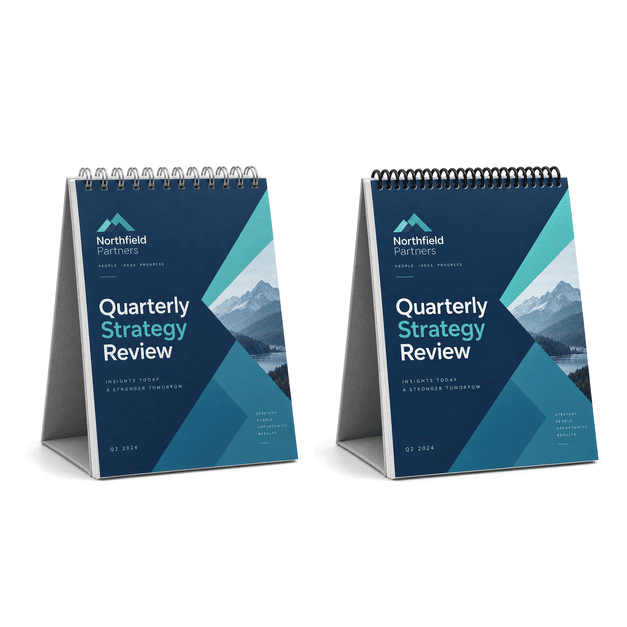
Custom Presentation Flip Book Printing
MMPrint produces custom presentation flip books and tabletop flip charts for sales teams, trainers, retailers, healthcare organizations, manufacturers and other businesses nationwide. These printed tools organize information into sequential pages that a presenter can turn while speaking with an individual or small group.
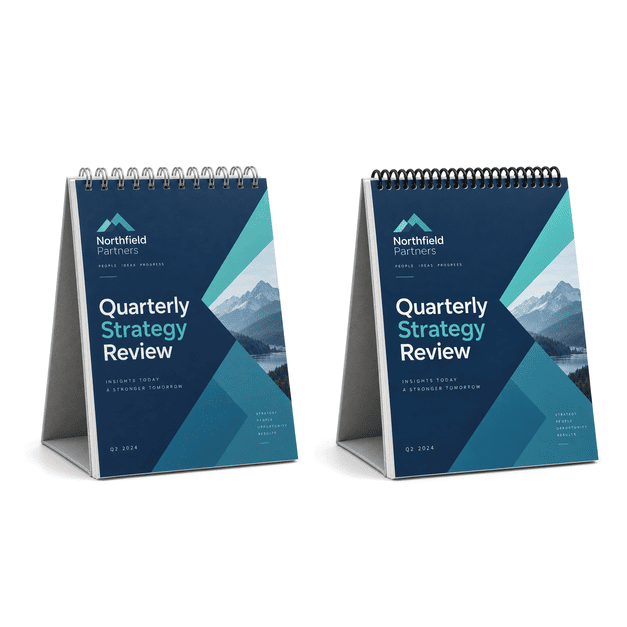
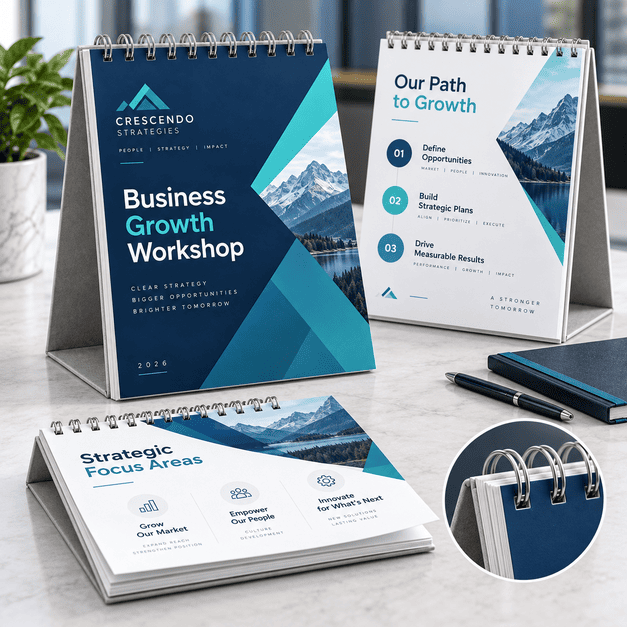
Presentation flip books can be configured for handheld use or with an A-frame easel that allows the pages to stand upright on a desk, table or counter. Stepped or tabbed pages can also help viewers move directly to a particular product, service or topic.
This product is a professionally printed presentation tool. It is different from an animated flip book, standard booklet or blank office presentation pad.
Presentation Flip Book Formats
- Tabletop easel flip books – stand upright so the printed pages face the viewer during a sales presentation, demonstration or training session.
- Handheld presentation books – allow a salesperson or trainer to guide someone through information one page at a time.
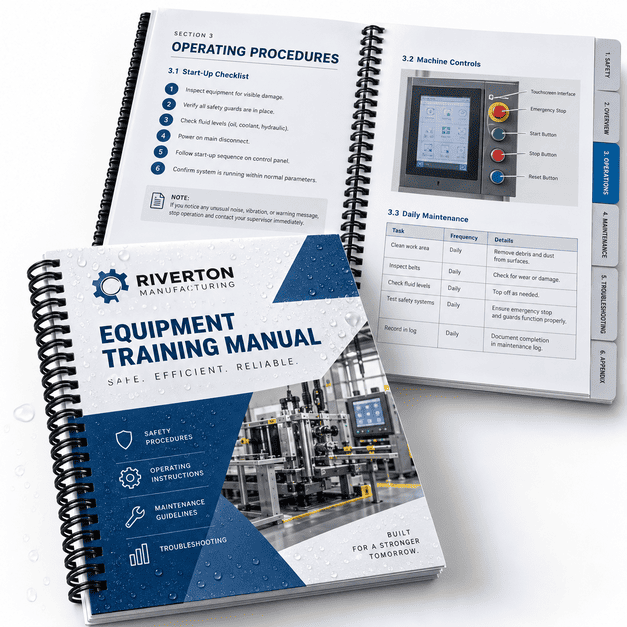
- Tabbed flip books – use visible tabs or stepped pages to divide the presentation into clearly labeled subjects.
- Countertop flip charts – present product information, instructions or promotional messages at a counter or point-of-purchase location.
A-Frame Easel Flip Books
An A-frame easel gives the flip book a self-standing base. The pages can be turned while the display remains upright, making this format useful when the presenter and viewer are positioned on opposite sides of a desk or table.
- One-on-one sales presentations
- Small-group training
- Product demonstrations
- Healthcare and patient education
- Trade-show and event counters
- Retail and point-of-purchase displays
Tabbed and Stepped Pages
Tabbed or stepped pages expose a short section of each page so viewers can quickly identify and open the desired topic. Tabs can be organized by product, service, department, process step or another logical category.
The tab sequence, page dimensions and binding allowance should be planned before artwork is finalized. MMPrint can review the proposed configuration and help determine whether it is practical for production.
Compare Presentation Flip Book Formats
| Format | Main Benefit | Common Uses |
|---|---|---|
| A-frame easel | Stands upright during use | Sales, training and demonstrations |
| Handheld flip book | Portable guided presentation | Meetings and field sales |
| Tabbed or stepped pages | Quick topic navigation | Product lines and reference guides |
Printing and Construction Options
- Custom sizes – dimensions can be planned around the presentation setting, page content and portability requirements.
- Custom page counts – include the number of pages needed to explain the subject without overcrowding each page.
- Full-color printing – reproduce photographs, diagrams, charts, illustrations and branded graphics.
- Single- or double-sided pages – configure the presentation according to what the presenter and viewer need to see.
- Durable paper choices – select paper appropriate for repeated page turning and handling.
- Custom binding and easel construction – determined by the finished size, page count and intended use.
Available paper, binding and finishing selections depend on the project specifications. Request a custom estimate for the appropriate configuration.
Common Uses for Printed Flip Books
- Sales pitches and product presentations
- Employee and customer training
- Product comparison guides
- Healthcare education materials
- Step-by-step instructions
- Restaurant and hospitality presentations
- Point-of-purchase displays
- Trade-show demonstrations
- Service and process explanations
- Reference guides for field representatives
Artwork Tips for Presentation Flip Books
- Design for sequential viewing – arrange the pages in the same order the presenter will discuss the information.
- Keep each page focused – use a clear heading, supporting visual and limited amount of text for each topic.
- Allow room for binding – keep important text and graphics away from the bound edge.
- Plan tab positions first – determine the order and dimensions of stepped pages before creating the final layouts.
- Maintain consistent orientation – verify that every page will face the correct direction after binding.
- Use readable type – size the text for the expected viewing distance rather than designing only for on-screen review.
- Submit high-resolution artwork – photographs, diagrams and logos should remain sharp at the finished print size.
Why Choose MMPrint for Presentation Flip Books?
- Custom project planning – get help selecting a suitable size, page count, construction and easel format.
- Tabbed-page experience – create organized presentations with stepped or indexed sections.
- Human file review – artwork is checked for common page-order, orientation, margin and production concerns.
- More than 50 years of printing experience – MMPrint has served businesses and organizations since 1972.
- Nationwide service – MMPrint serves customers throughout the United States, with free ground shipping available on most orders.
Frequently Asked Questions
- What type of flip book does MMPrint produce?
MMPrint produces printed presentation flip books and tabletop flip charts used for sales, training, demonstrations and informational displays. - Is this an animated flip book?
No. This product is a professional presentation book with pages that are turned while information is being presented. - What is an A-frame flip book?
An A-frame flip book has a self-standing easel base that holds the pages upright on a desk, table or counter. - What are stepped or tabbed pages?
Stepped pages expose a labeled portion of each section, allowing the presenter or viewer to locate a topic quickly. - Can the size and page count be customized?
Yes. Size and page count can be planned around the content, presentation setting and production requirements. - Can flip books be printed in full color?
Yes. Full-color printing can reproduce photographs, diagrams, charts, illustrations and branded graphics. - How should I set up the artwork?
Supply the pages in presentation order, maintain a consistent orientation and leave sufficient space along the bound edge. - Do you review presentation flip book files?
Yes. MMPrint provides human file review to identify common concerns involving page order, orientation, margins and artwork quality. - Can MMPrint help determine the right construction?
Yes. Request a custom estimate so the size, page count, binding, paper and easel requirements can be reviewed together. - Does MMPrint ship presentation flip books nationwide?
Yes. MMPrint serves customers nationwide, and free ground shipping is available on most orders.
Presentation Flip Books (Booklets & Books)
Next Step: Upload Files or Start Customizing
Select your product size, then review and download the layout template and design guidelines. These files are provided to help you create precise, print-ready designs with the correct dimensions, bleed areas, and safe zones.