

Custom Die-Cut Bookmark Printing
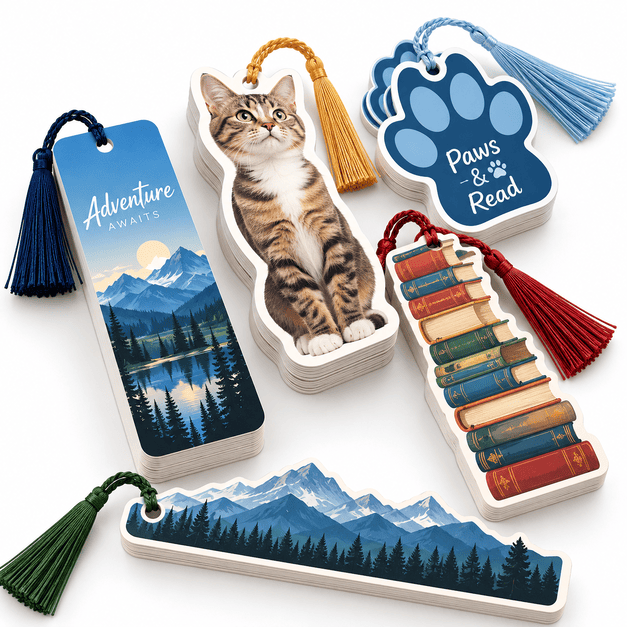
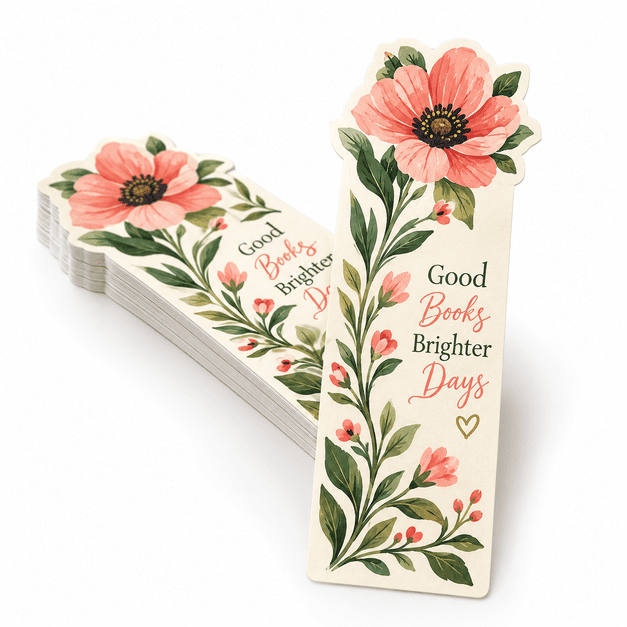
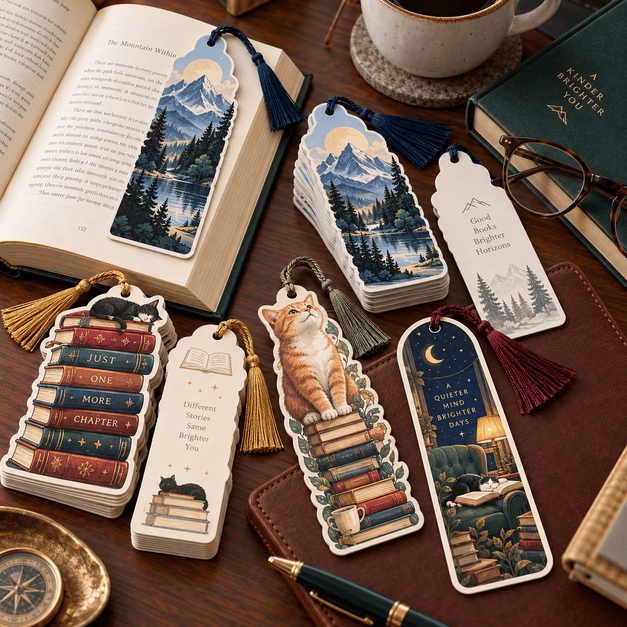
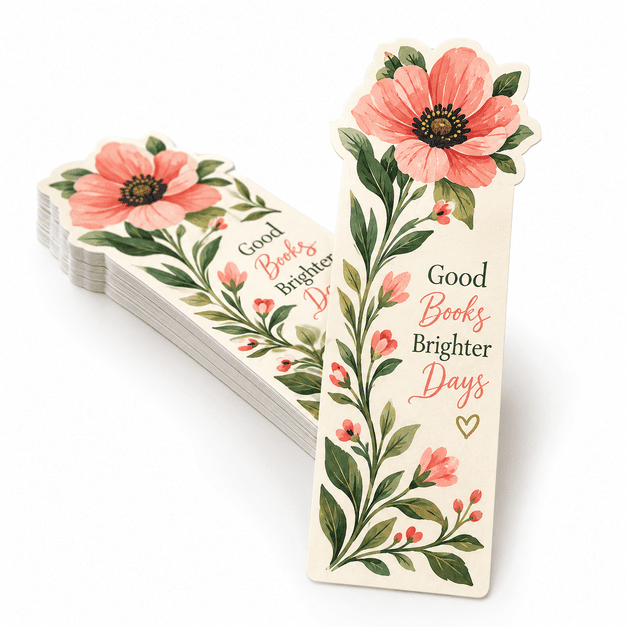
MMPrint produces custom die-cut bookmarks for publishers, authors, schools, libraries, retailers, museums, nonprofits and promotional campaigns nationwide. Unlike standard rectangular bookmarks, die-cut bookmarks are trimmed into a distinctive shape that supports the artwork, brand or message.
Bookmarks can be produced with a fully custom perimeter, a shaped top, rounded corners or other specialty-cut details. Full-color printing provides space for branding, illustrations, reading information, calendars, coupons, event details and promotional messages.
Every custom shape must be reviewed for production feasibility. MMPrint provides human file review and can help determine whether the proposed dimensions, cut path and finishing specifications are suitable for printing and die cutting.
Popular Die-Cut Bookmark Sizes and Shapes
- 2″ × 7″ – a familiar bookmark proportion with room for custom-shaped edges or a specialty-cut top.
- 2″ × 8″ – provides additional vertical space for illustrations, schedules or promotional content.
- 3.5″ × 8.5″ – a wider format for detailed graphics, educational information or multipurpose promotions.
- Custom silhouettes – the outside edge follows a supplied shape rather than a standard rectangle.
- Shaped tops – maintain a practical rectangular body while adding a distinctive upper profile.
- Rounded corners – soften the corners while preserving a traditional bookmark format.
These dimensions are common starting points. Final size and shape availability depends on the artwork, paper, finishing and production requirements.
Die-Cut Bookmark Options
- Full-color printing – reproduce photographs, illustrations, logos and branded graphics.
- Single- or double-sided artwork – use the reverse side for contact information, reading lists, calendars or promotional details.
- Custom die cutting – create an outside edge based on an approved vector cut path.
- Round corners – add a finished look without creating a completely custom silhouette.
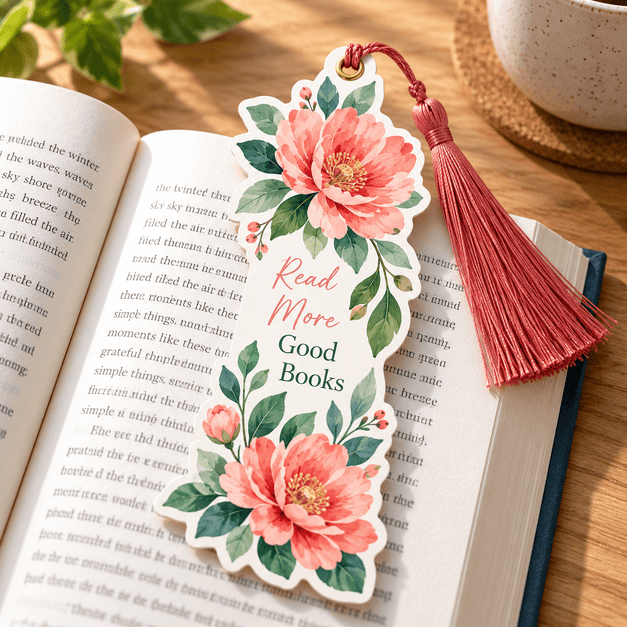
- Tassel holes – include a drilled hole when the bookmark design calls for a tassel or cord.
- Perforations – create a detachable coupon, ticket or response section when appropriate.
Specialty finishing such as coating, foil stamping, perforation, variable data or tassels may be available by custom estimate. Availability depends on the selected paper, shape, quantity and artwork.
Choosing a Paper for Die-Cut Bookmarks
- Coated paper – provides a smooth surface for photographs, illustrations and vibrant color.
- Uncoated paper – offers a natural feel and is better suited to designs that require a writable surface.
- Heavier cover stock – gives the bookmark additional body and durability for repeated handling.
- Protective finishing – may help protect printed surfaces when the bookmark will receive frequent use.
Available stocks and finishes vary by product configuration. Select from the options shown when ordering or request a custom estimate for specifications that are not listed.
Compare Bookmark Cutting Styles
| Cutting Style | Appearance | Best For |
|---|---|---|
| Custom die cut | Distinctive outer shape | Branded and promotional designs |
| Shaped top | Custom top with practical body | Characters, logos and themed artwork |
| Round corners | Traditional shape with softened corners | Simple specialty bookmarks |
Common Uses for Custom Die-Cut Bookmarks
- Book launches and author promotions
- Libraries and reading programs
- Schools and educational organizations
- Publishing and bookselling promotions
- Museum and gift-shop merchandise
- Fundraising and nonprofit campaigns
- Retail coupons and promotional offers
- Conference and event handouts
- Calendars, rulers and reference guides
Artwork Tips for Die-Cut Bookmarks
- Create a vector cut path – supply the intended perimeter as a clearly marked vector path on a separate layer.
- Include bleed – extend backgrounds and images beyond the cut line so unwanted white edges do not appear.
- Protect important content – keep text, logos and essential details safely inside the cut path.
- Avoid overly intricate edges – narrow points, tiny cutouts and complex contours may not cut or hold up reliably.
- Plan for holes and perforations – leave sufficient clear space around tassel holes and detachable sections.
- Use high-resolution artwork – photographs and raster graphics should remain sharp at the final printed size.
Why Choose MMPrint for Die-Cut Bookmarks?
- Custom shape experience – produce specialty bookmarks beyond a standard rectangular format.
- Human file review – artwork and cut paths are checked for common production concerns.
- Custom project support – get assistance with shapes, paper choices and specialty finishing.
- More than 50 years of printing experience – MMPrint has served businesses and organizations since 1972.
- Nationwide service – MMPrint serves customers throughout the United States, with free ground shipping available on most orders.
Frequently Asked Questions
- What is a die-cut bookmark?
A die-cut bookmark is trimmed with a custom cutting path to create a specialty shape instead of a standard rectangular edge. - Can only part of the bookmark be custom shaped?
Yes. A bookmark can retain a practical rectangular body while incorporating a custom-shaped top or another specialty-cut detail. - What sizes are available?
Common starting sizes include 2″ × 7″, 2″ × 8″ and 3.5″ × 8.5″. Custom dimensions are subject to production review. - Can die-cut bookmarks be printed on both sides?
Yes. Front-and-back printing can provide additional space for branding, contact information, calendars, coupons or other content. - Can you add a hole for a tassel?
A tassel hole may be added when compatible with the bookmark’s size, shape, paper and artwork. - Can every shape be die cut?
No. Very narrow points, tiny cutouts and overly intricate contours may need to be simplified for reliable production. - How should I prepare the cut line?
Provide the intended cut shape as a clearly marked vector path on a separate artwork layer. MMPrint will review it before production. - Do you review die-cut bookmark files?
Yes. MMPrint provides human file review to identify common concerns involving bleed, margins, cut paths and artwork quality. - Can MMPrint produce specifications not shown online?
Yes. Request a custom estimate for special sizes, shapes, papers or finishing options that are not listed. - Does MMPrint ship nationwide?
Yes. MMPrint serves customers nationwide, and free ground shipping is available on most orders.
Custom Die-Cut Bookmarks (Business Essentials)
Next Step: Upload Files or Start Customizing
Select your product size, then review and download the layout template and design guidelines. These files are provided to help you create precise, print-ready designs with the correct dimensions, bleed areas, and safe zones.